Microsiri

Production Planning Control (PPC) Dashboard

The PPC Department (Production Planning and Control) is the “Air Traffic Control” of a manufacturing plant. While the Methods Department decides how to make a product, the PPC Department decides when to make it, how much to make, and monitors the progress to ensure the customer gets their order on time.

PPC acts as the nervous system, connecting the Sales Department (demand) with the Shop Floor (supply). Before a single machine is turned on, PPC must lay the groundwork

OUR Production Planning Control (PPC) Dashboard FEATURES

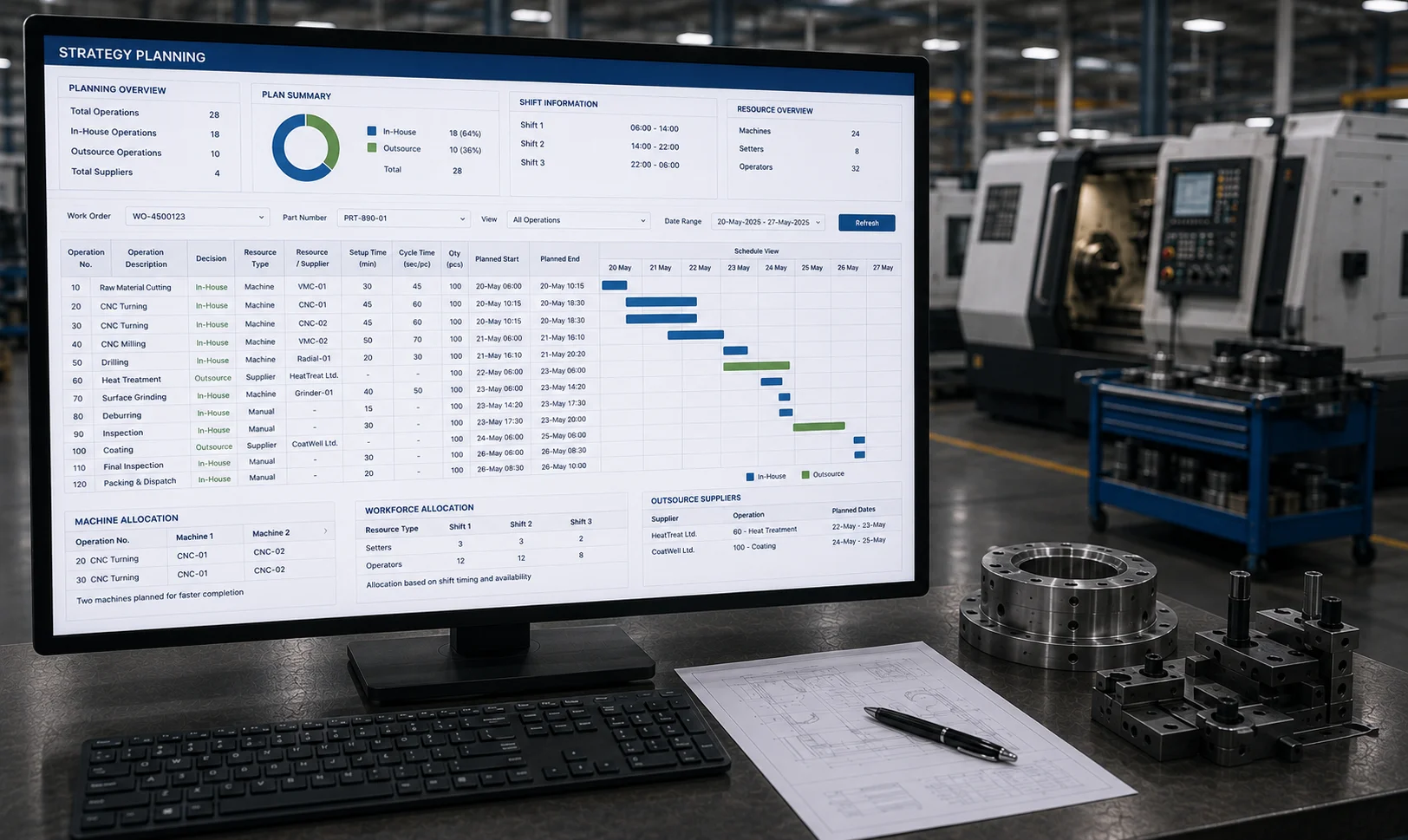
Strategy Planning

Deciding in-house and out-source for each operation and planning all operations as per available machines and selecting supplier for out-source operations with planned dates. Machine planning will be done based on the existing plan/schedule. For one operation, two machines can also be planned if machines are free. Start date time and end date time will be calculated based on setup time, cycle time and other timings as entered by Methods department. Planning is not only machines, is also about setters, operators considering shift timings

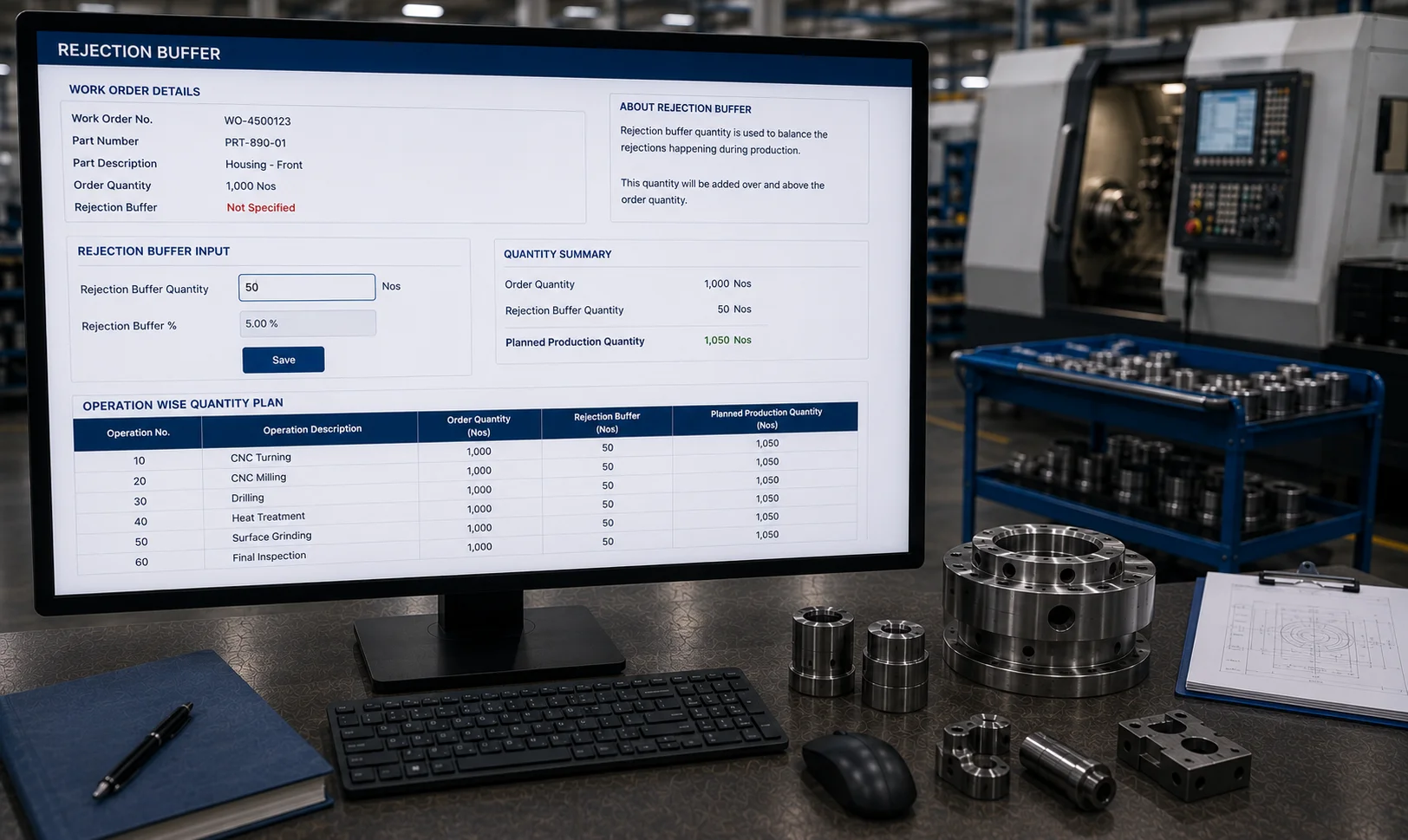
Rejection Buffer

If rejection buffer quantity was not specified while creating Work Order, then PPC department can enter rejection buffer quantity to balance rejections happening during production.

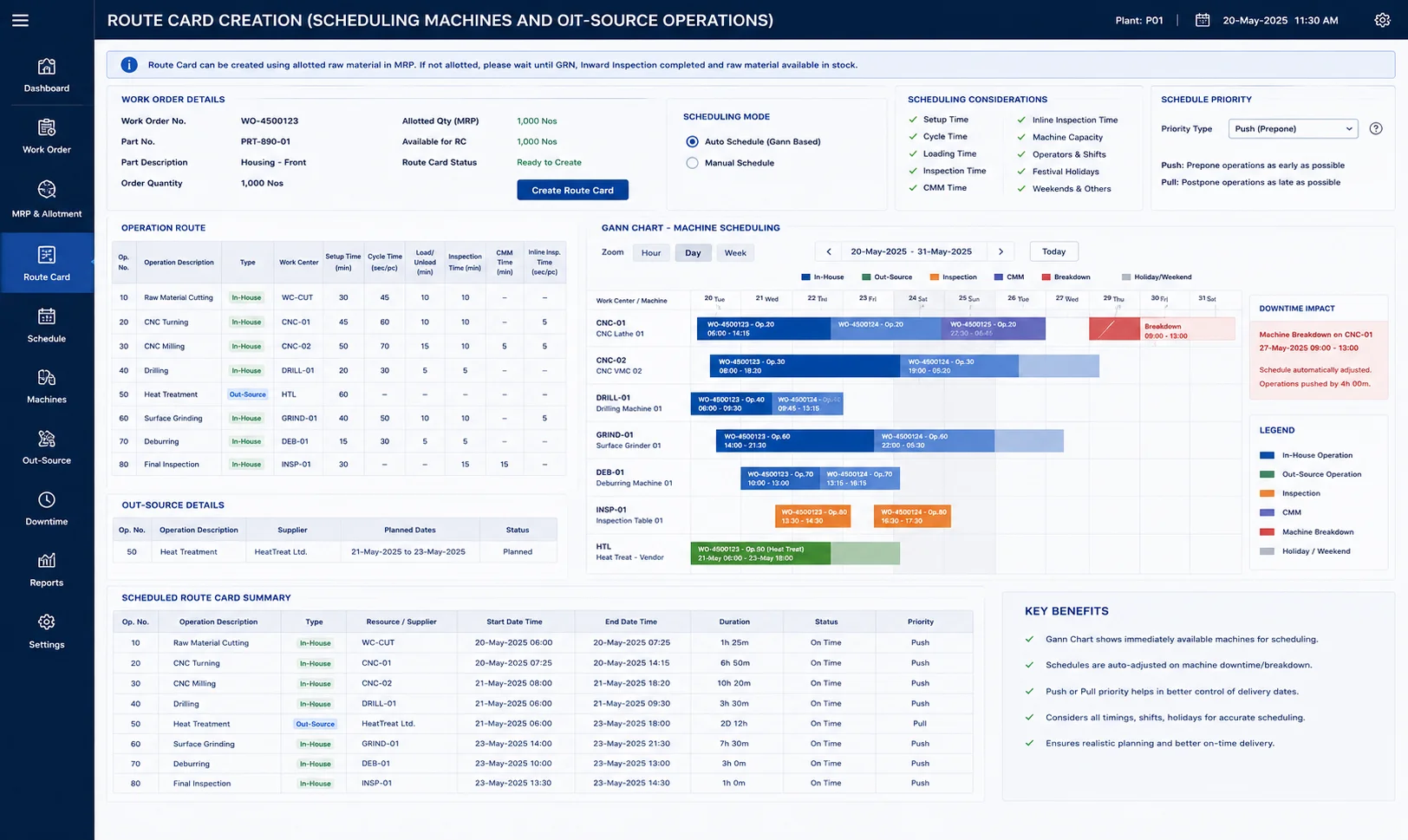
Route Card Creation (Scheduling Machines and Out-Source Operations)

In the material requirement plan (MRP) and allotment, if any raw material allotted, ERP will allow you to create a Route Card else, you have to wait until GRN (Store) of raw material followed by inward inspection (Quality) completed and raw material sits in the inventory with allotted for the created Work Order. Route Card can be created using Gann Chart as well which consider immediately available machines to schedule each operation and quickly create Route Card. Scheule of each operation may get pushed when machine downtime/breakdown time entered by shop floor people. Each machine scheduling can be prioritised either by pushing or pulling (prepone or postpone). ERP automatically readjust the all plans accordingly. The schedule can be done most accurately by considering setup time, cycle time, loading time, inspection time, CMM time, inline inspection time and also mainly considering festival holidays, weekends and others.


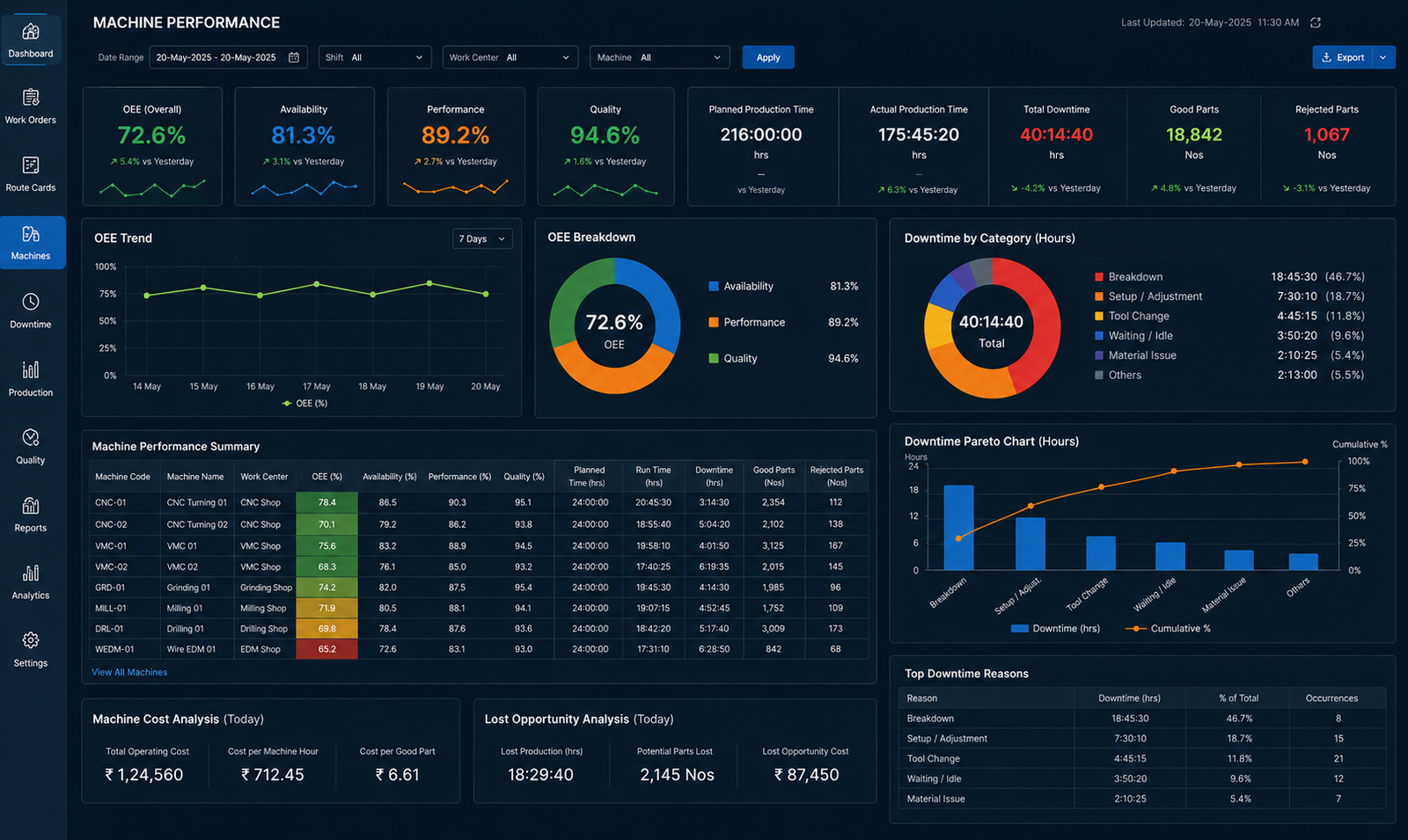
Machine Performance

Monitoring each machine performance with OEE values, downtime values. Analysing machine cost and lost opportunity.

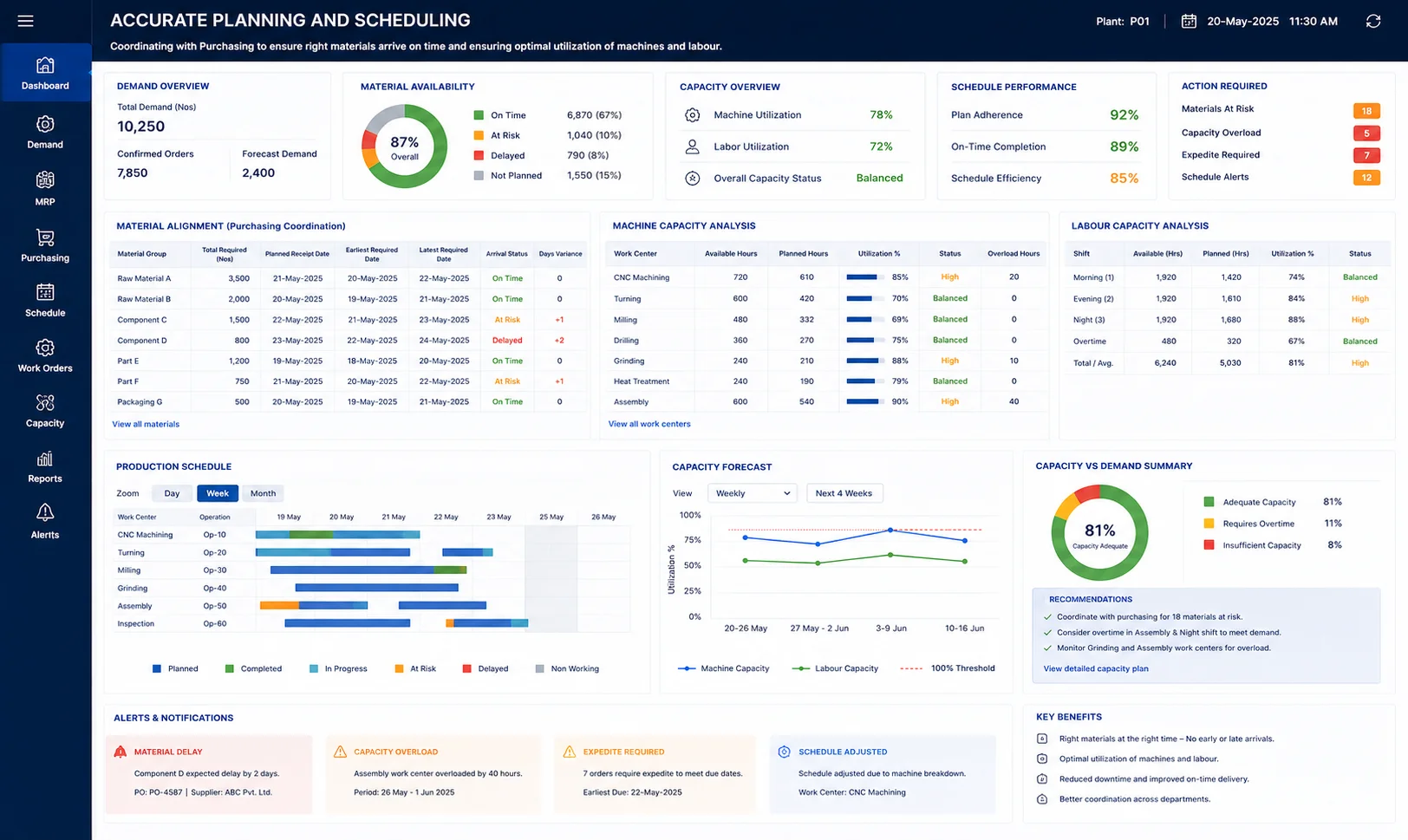
Accurate Planning and Scheduling

Coordinating with the Purchasing department to ensure raw materials and components arrive exactly when needed—neither too early (wasting space) nor too late (stopping production). Assessing if the factory has enough machine hours and labour to meet the demand. They identify if overtime or extra shifts are necessary.

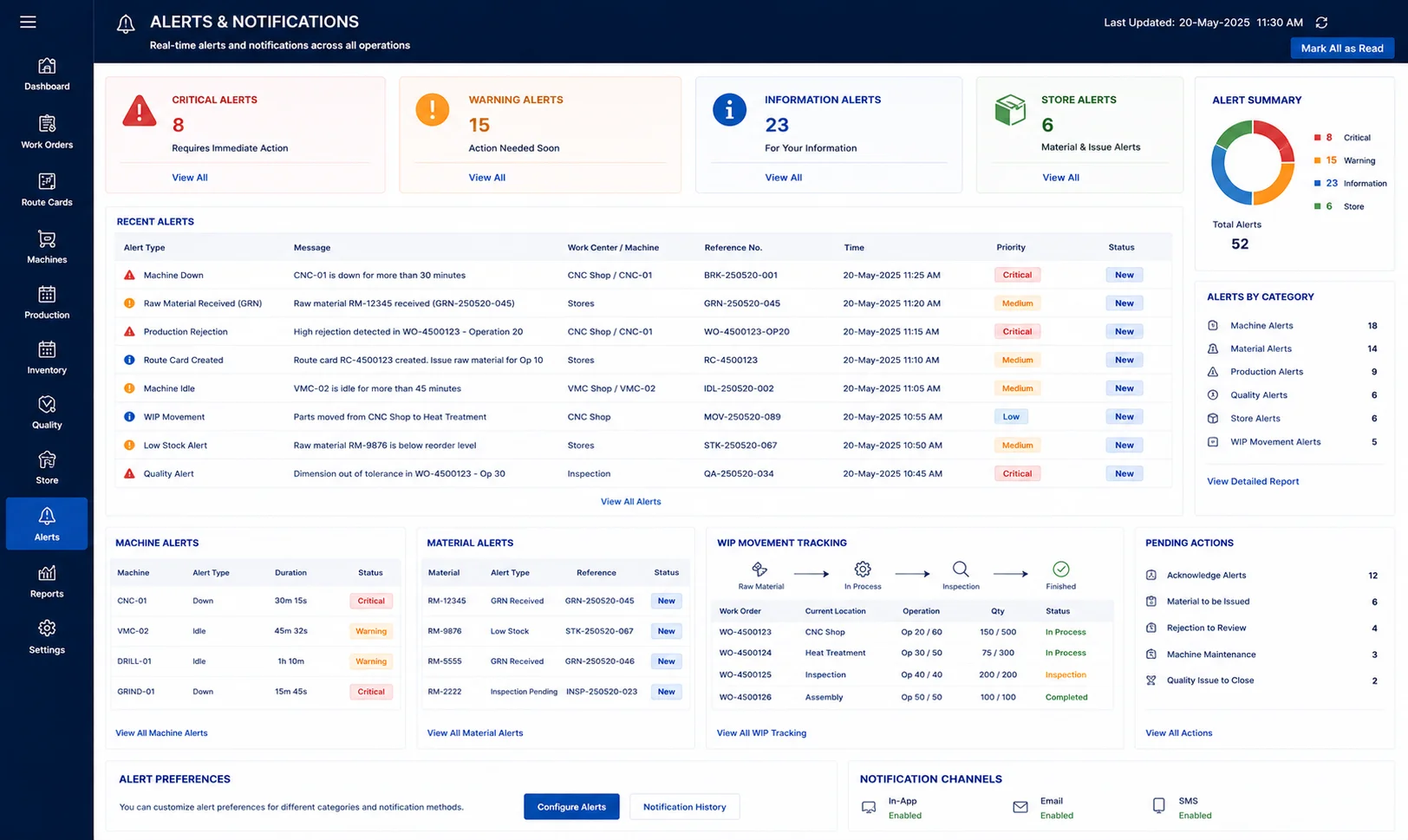
Alerts

Getting alert when machine is down or idle for long time, getting alert when raw material received (GRN). Getting alert when rejections happened in the production. Send an alert to store on creating route card to issue the raw material for scheduled operations. Monitoring WIP parts movement starting from raw material to finished part.

    Enter your contact details