Microsiri

Purchase Dashboard

In the manufacturing industry, the Purchase Department (or Procurement) is responsible for the professional acquisition of raw materials, components, services, and equipment. Because material costs often account for 50% to 70% of a product’s total cost, this department is a primary driver of company profitability. They ensure the factory has the “Five Rights”: the Right Material, in the Right Quantity, at the Right Time, from the Right Source, at the Right Price. All PO formats can be modified as per your need.


OUR Purchase Dashboard FEATURES

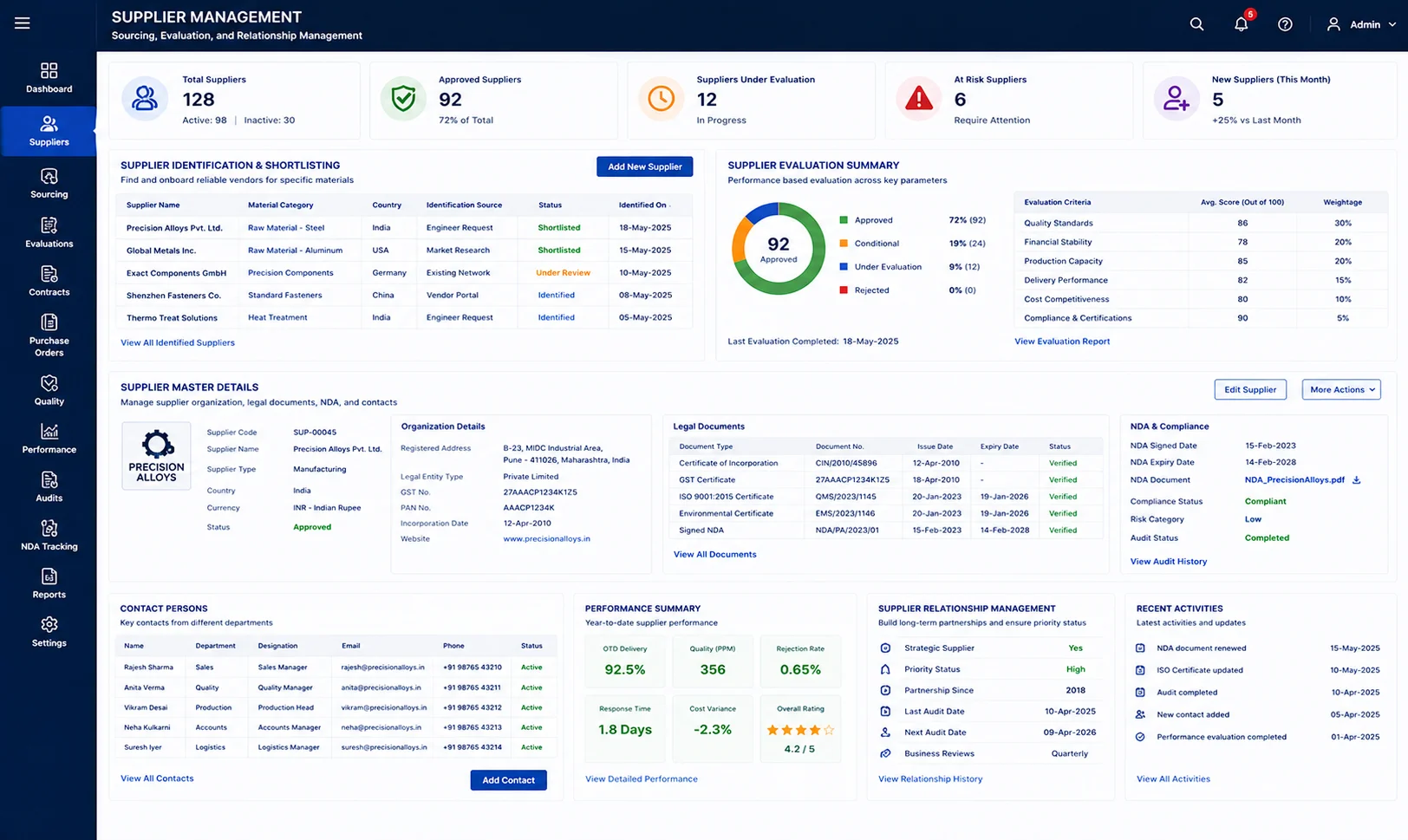
Sourcing and Supplier Management

Supplier Identification by finding reliable vendors who can provide the specific materials required by the engineer department. Vendor evaluation, auditing suppliers based on their quality standards, financial stability, and production capacity. Relationship Management Building long-term partnerships to ensure “priority status” during global material shortages. Supplier Master Management, entering supplier organization details in the ERP with legal document, signed NDA, currency and contact persons from different department.

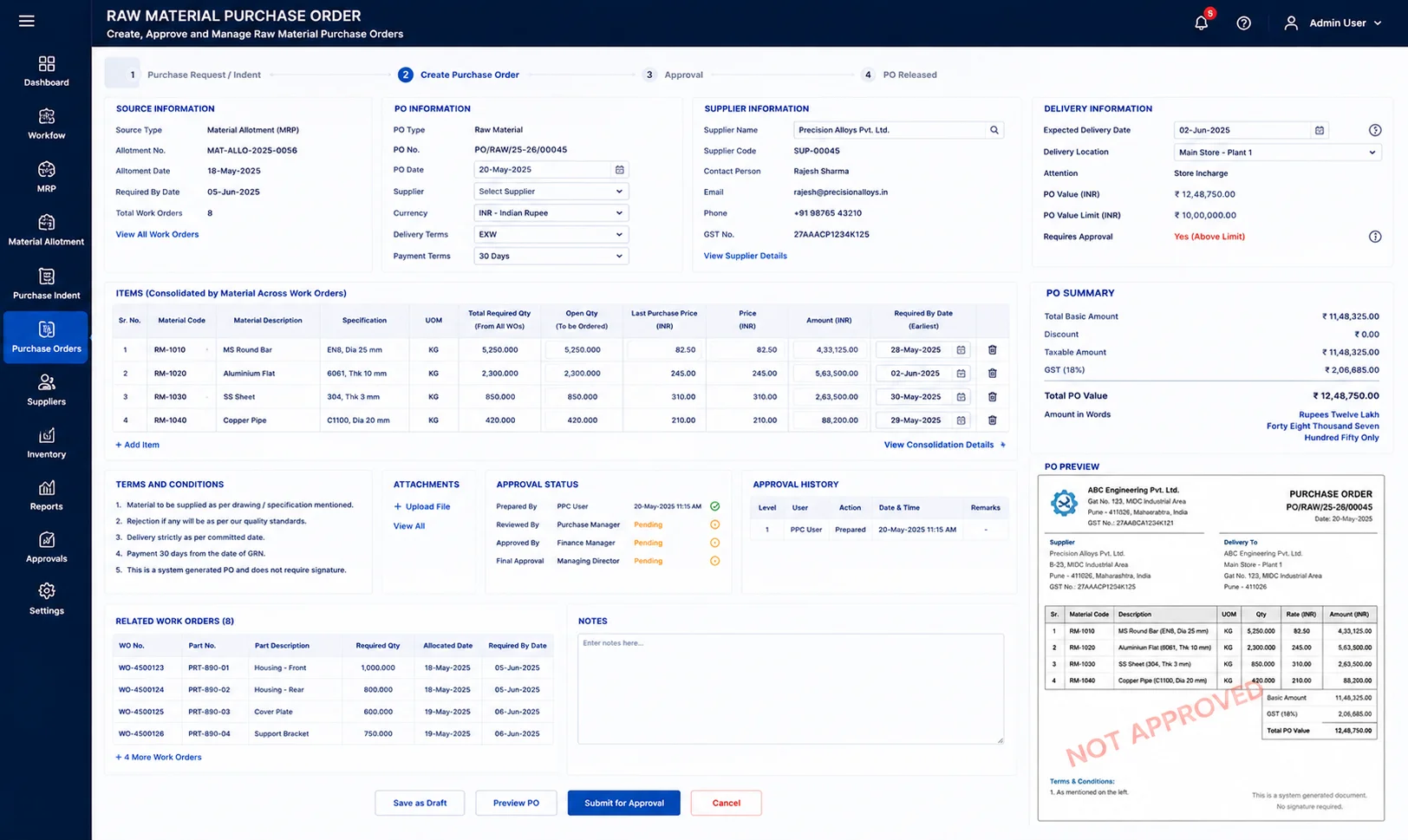
Raw Material Purchase Order

MRP (Material Requirement Plan) and material allotment gives automated purchase indent or purchase request. Based on this request, a purchase order can be created. Price will be prefilled based on last purchase or by RFQ. The expected delivery date will be notified to PPC to plan production accordingly. Without any Work Order, raw material purchase cannot be created independently. And PO format will have NOT APPROVED text as water mark if not approved by authorised people. PO value limit can also set in the ERP to avoid heavy purchase without management approval. All the Work Order will be consolidated based on the similar raw material to create the PO.

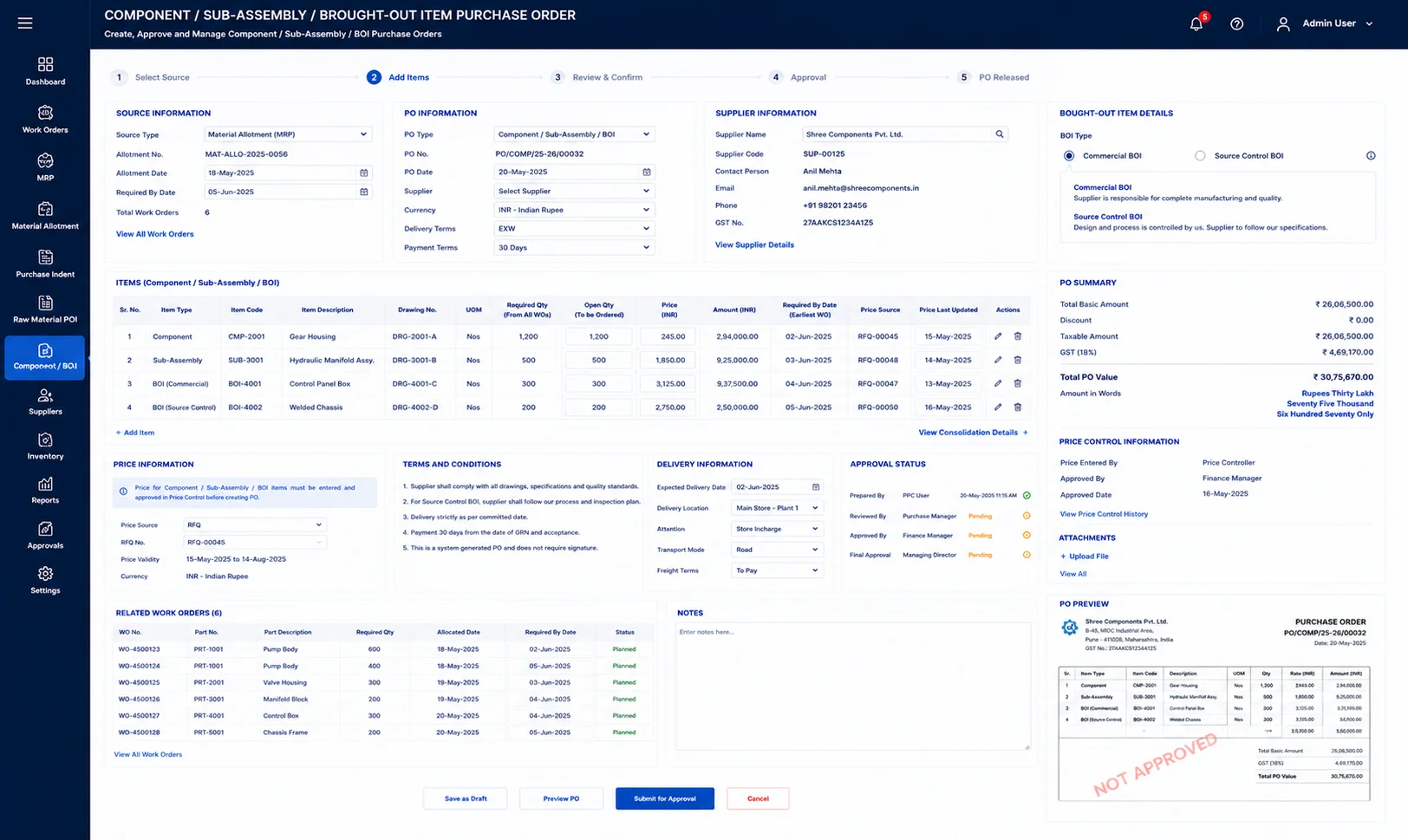
Component/Sub-Assembly/Brought-Out-Item Purchase Order

In the ERP, a separate window to create purchase order for component or sub-assembly or brought out items. The price must be entered before for these items by authorised user, so that the price control will be with one person who send RFQ to supplier and get the price for the parts. Here as well, without WO, cannot create such PO, so must come from flow. For BOI, ERP has two options like, Commercial BOI and Source control BOI

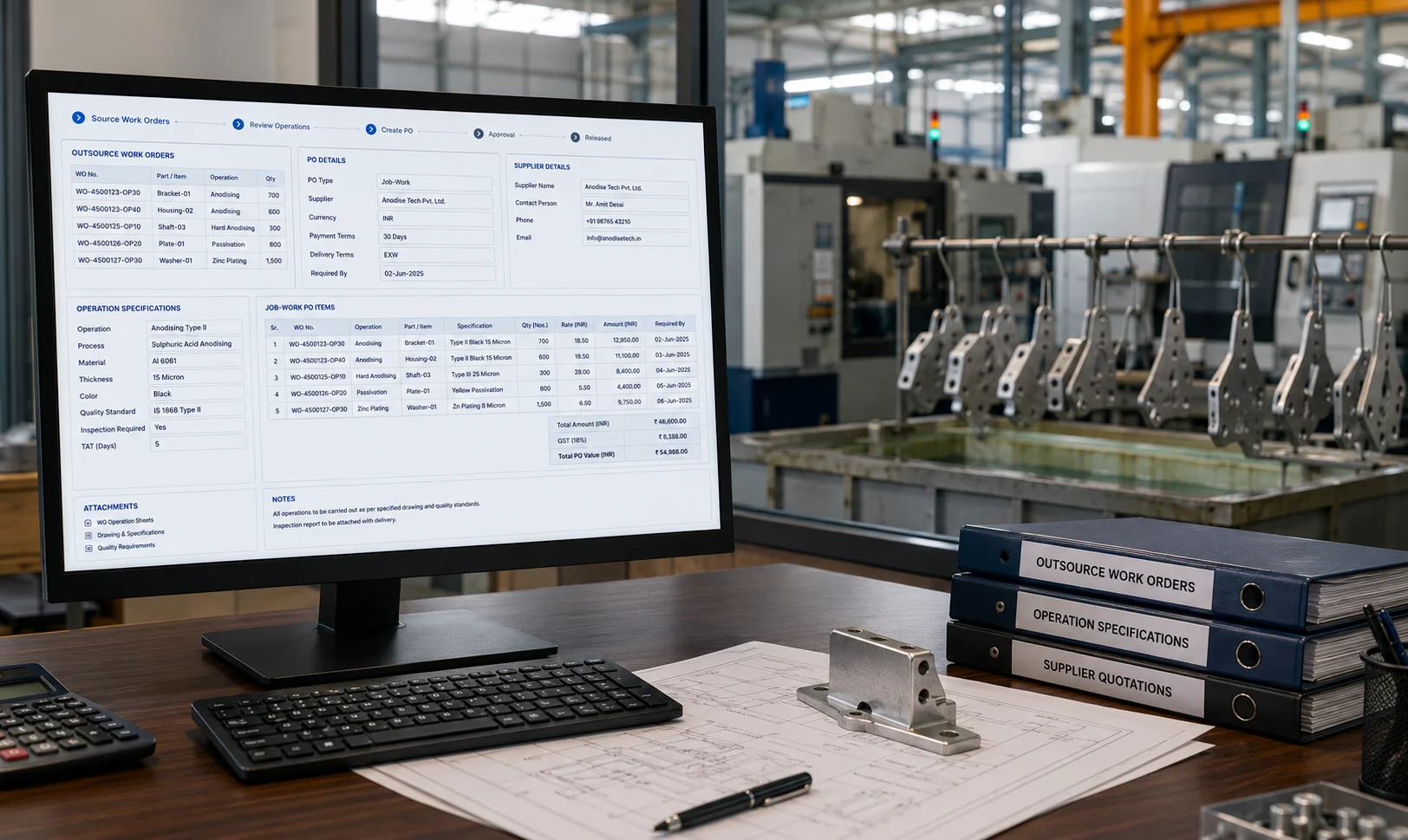
Job-Work Purchase Order

Any operation like Anodising or even machining set as Out-Source, then those Work Order list with operation specs mentioned will be sitting in the purchase department to create PO. This job-work po, cannot be create independently, it should come from flow only.

Non-Stock Purchase Order

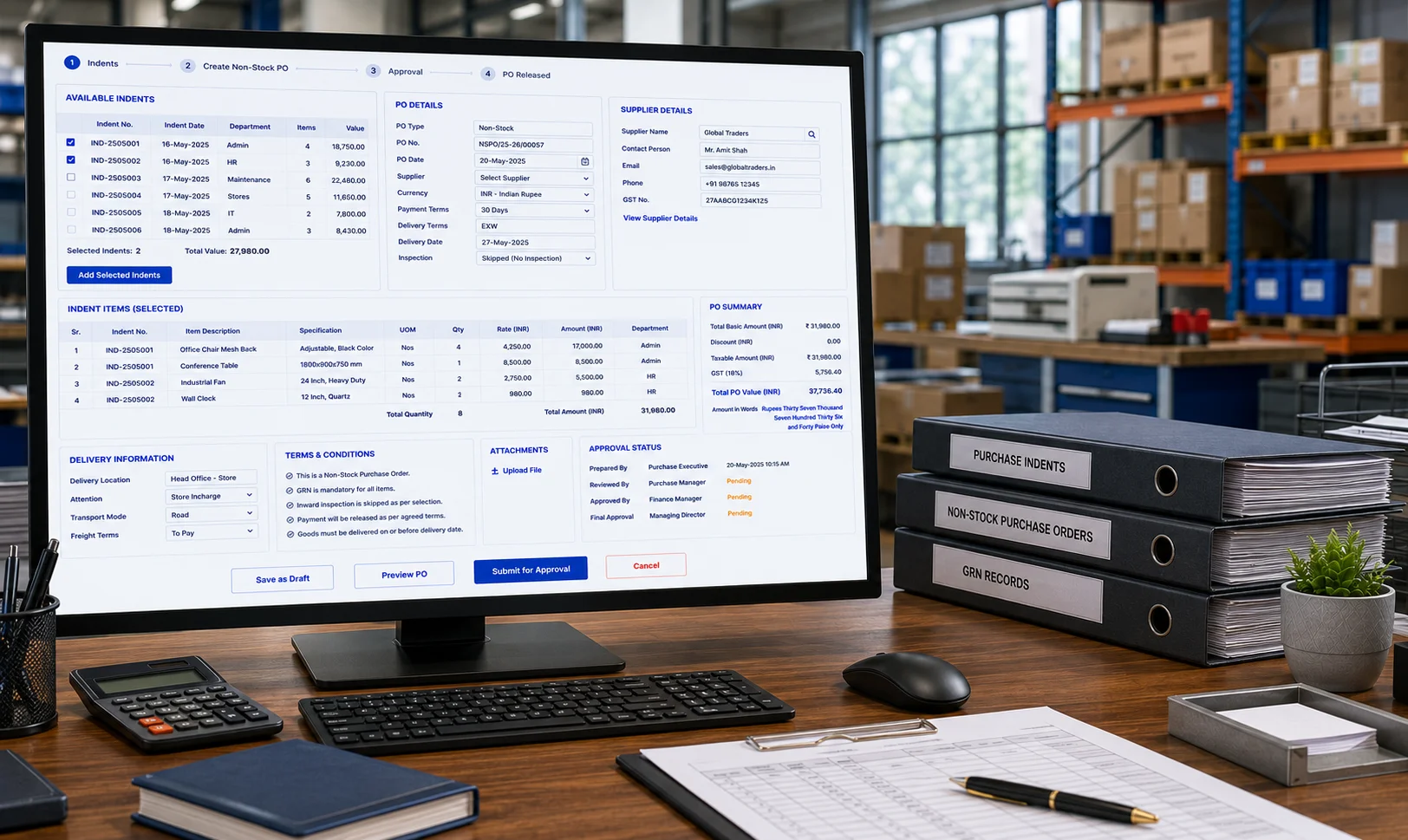
In this window, any authorised person in the company can create Purchase Indent, and those indents will come and sits here. By selecting these indents, purchase department user can create Non-Stock PO. Without any flow, this module helps you to create PO for any item in the system. But as usual, approve must be given to release the PO. Even for this PO as well, GRN must be done but inward inspection can be skipped while creating PO itself as for some items, no need of quality check.

    Enter your contact details