Microsiri

Business Development Dashboard

Marketing focuses on the “one-to-many” approach, creating demand, managing brand image, and tracking market trends. Sales focuses on the “one-to-one” approach, building relationships, negotiating, and closing deals. So, developing strategies to reach target audiences are very important for business developers. Business developers responsible for generating leads, receiving RFQ from customer, checking feasibility for both inhouse and outsource, working on costing, and based on costing issuing quotation and managing revision of quotations. Once the RFQ is converted and received the PO the from customer, creating Work Order for the order received.


OUR BUSINESS DEVELOPMENT DASHBOARD FEATURES

Customer Enquiry (RFQ)

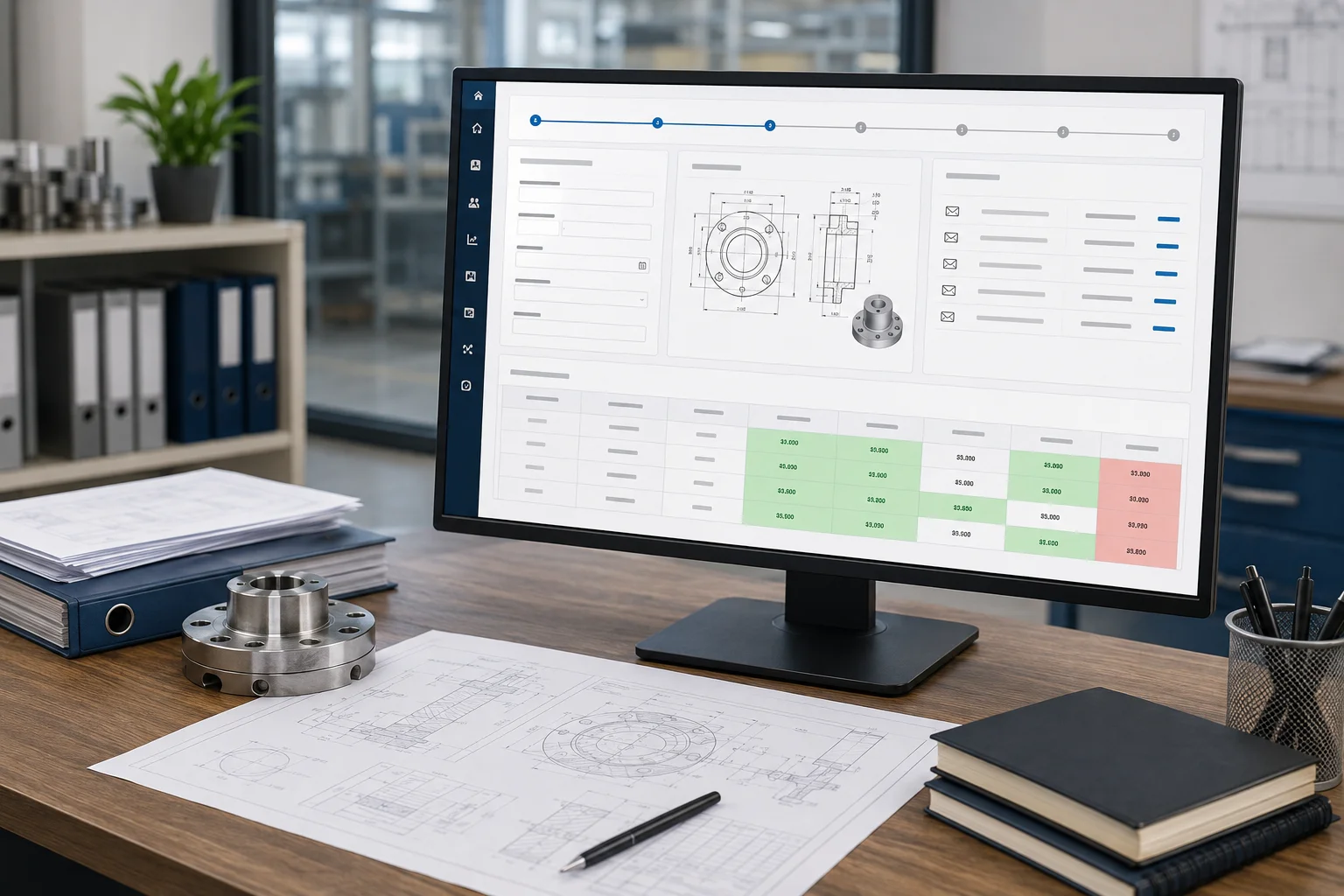
Manages the lifecycle of a request from the moment a need is identified until a vendor is selected. Entering RFQ details in the system with attaching technical drawings or terms and conditions. On RFQ creation, moving it to next phase which is feasibility. On receiving RFQ, system allow you to create new RFQ for your supplier and sending the same via mail directly from the ERP. One part can be sent to many suppliers for the prices. On receiving from different supplier, system can give you the price comparison window with highlighting in green colour for lowest price and in red colour for highest price.

Feasibility Study

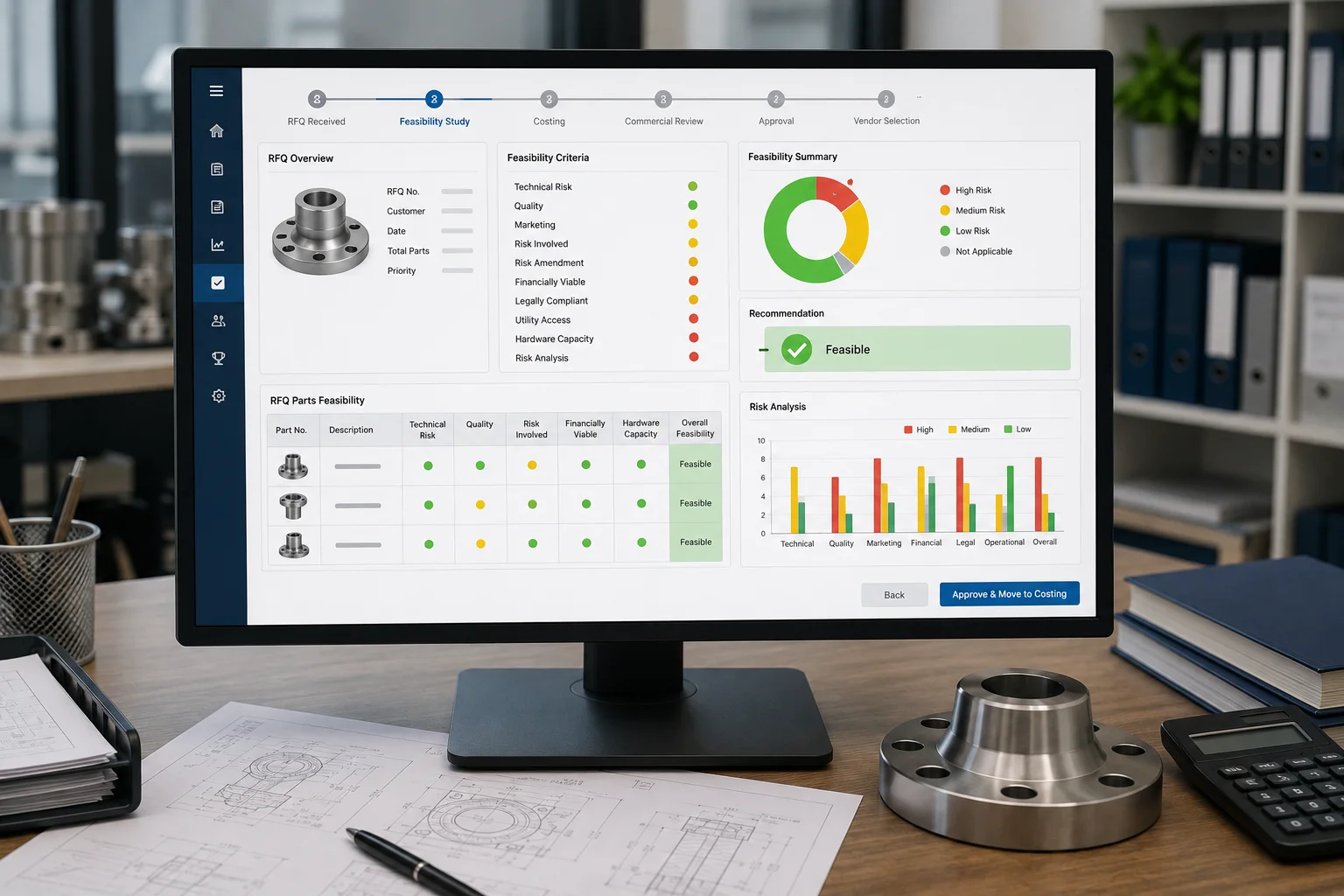
Entire RFQ level or by each part in the RFQ, you can check the feasibility based on technical risk, quality, marketing, risk involved, risk amendment, financially viable, legally compliant, utility access, hardware capacity and risk analysis factors. On feasibility approval, moving it to costing module.

Costing

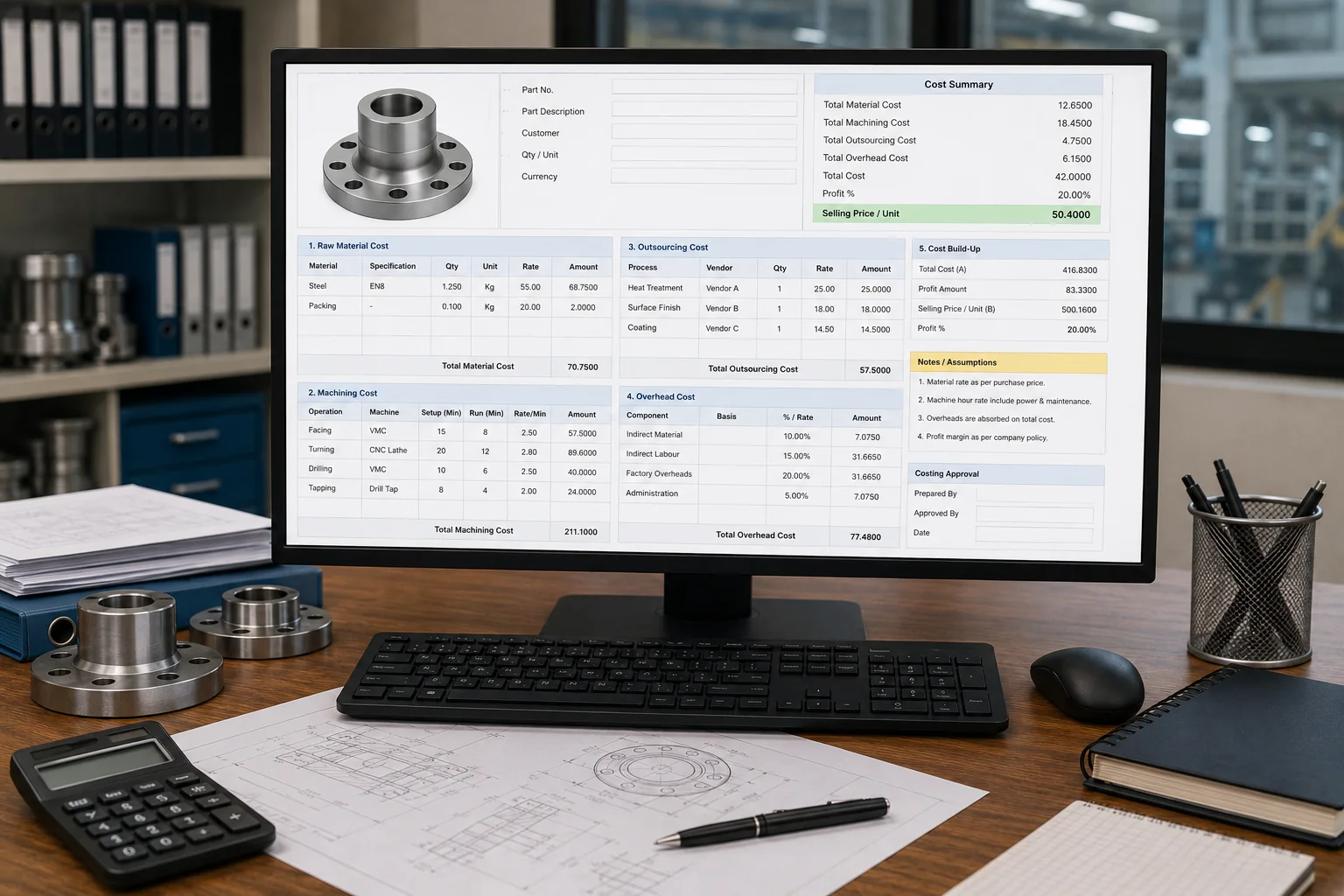
Every factory has its own way of calculating value. We don’t provide a ‘ready-made’ costing module because we prefer to build one around your existing workflow. We’ll take your current Excel sheets and formulas and use them as the blueprint for your custom module. This ensures that all variables—raw materials, machining, outsourcing, and overhead—flow into a final unit price that protects your specific profit margins.

Quotation

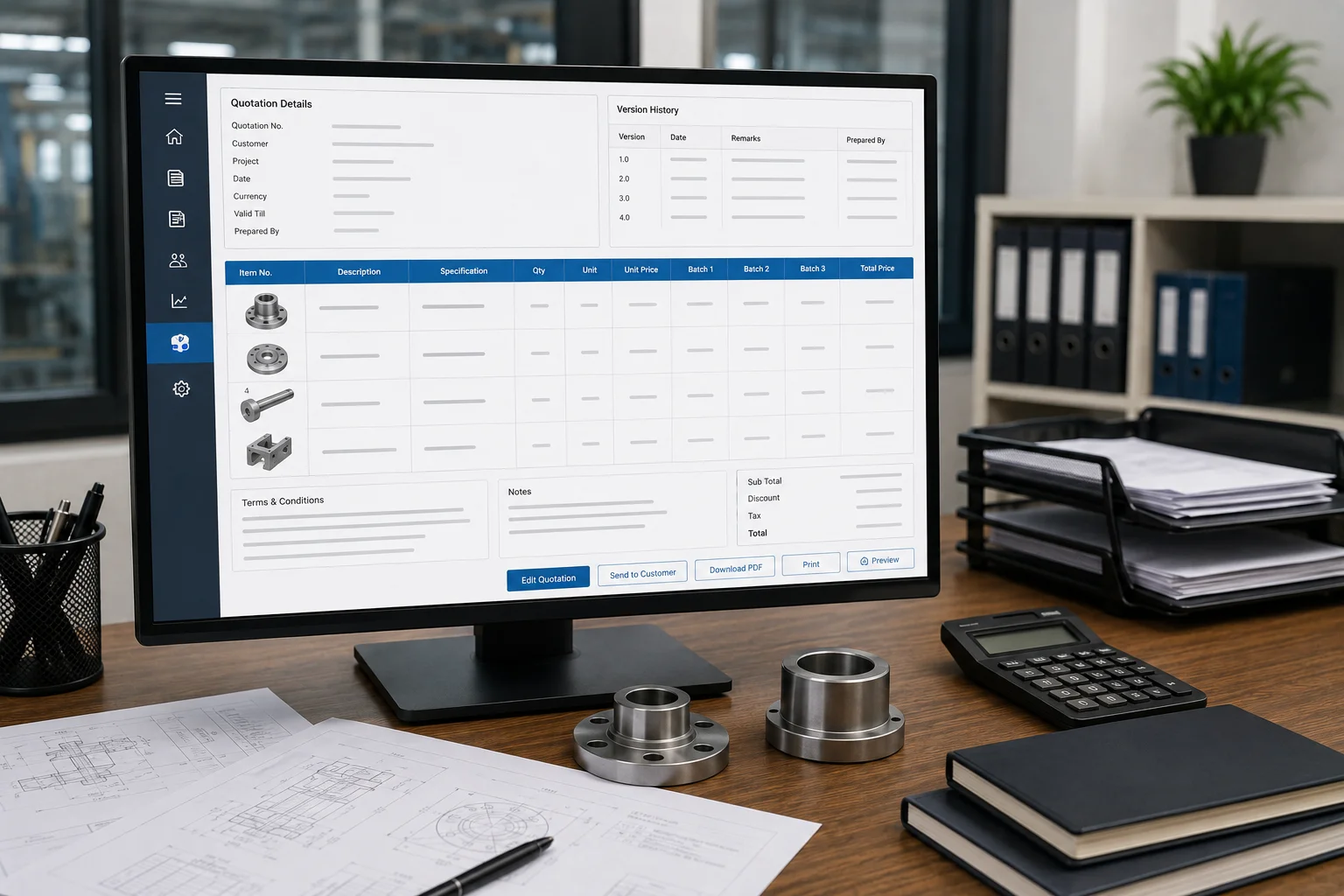
Once the unit price is finalized through costing, generate a formal quotation by integrating batch quantities and relevant project details. Maintain a comprehensive version history of all revisions sent to the client. The quotation format remains fully customizable to suit your specific requirements.

Order Acknowledgement (OA) or Sales Order

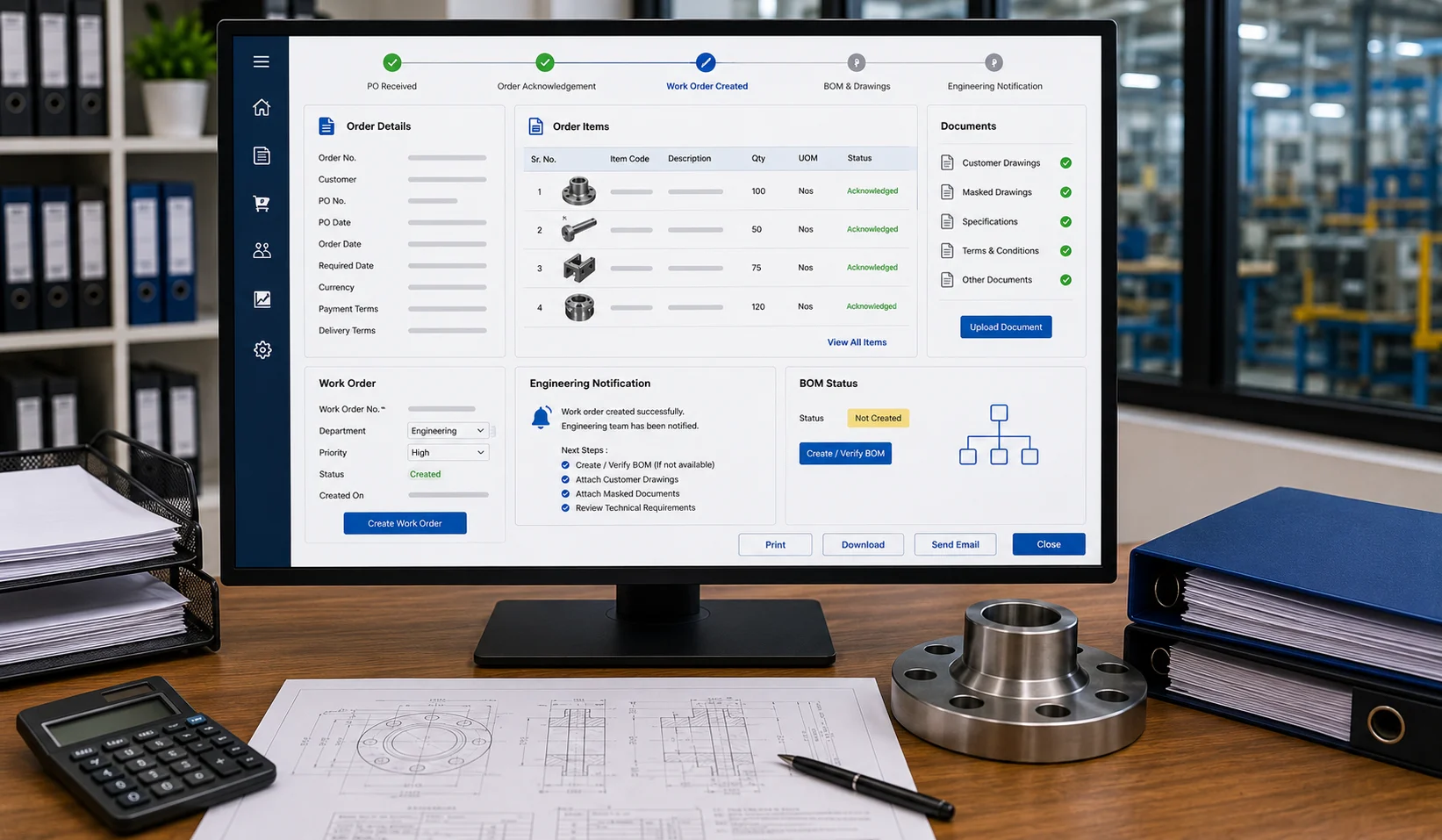
On receiving Purchase Order (PO) from customer, entering the same data in the ERP system and creating Work Order for the same which notify engineering team to create BOM if not created and to attach customer drawings and masked documents.

Dispatch Clearance

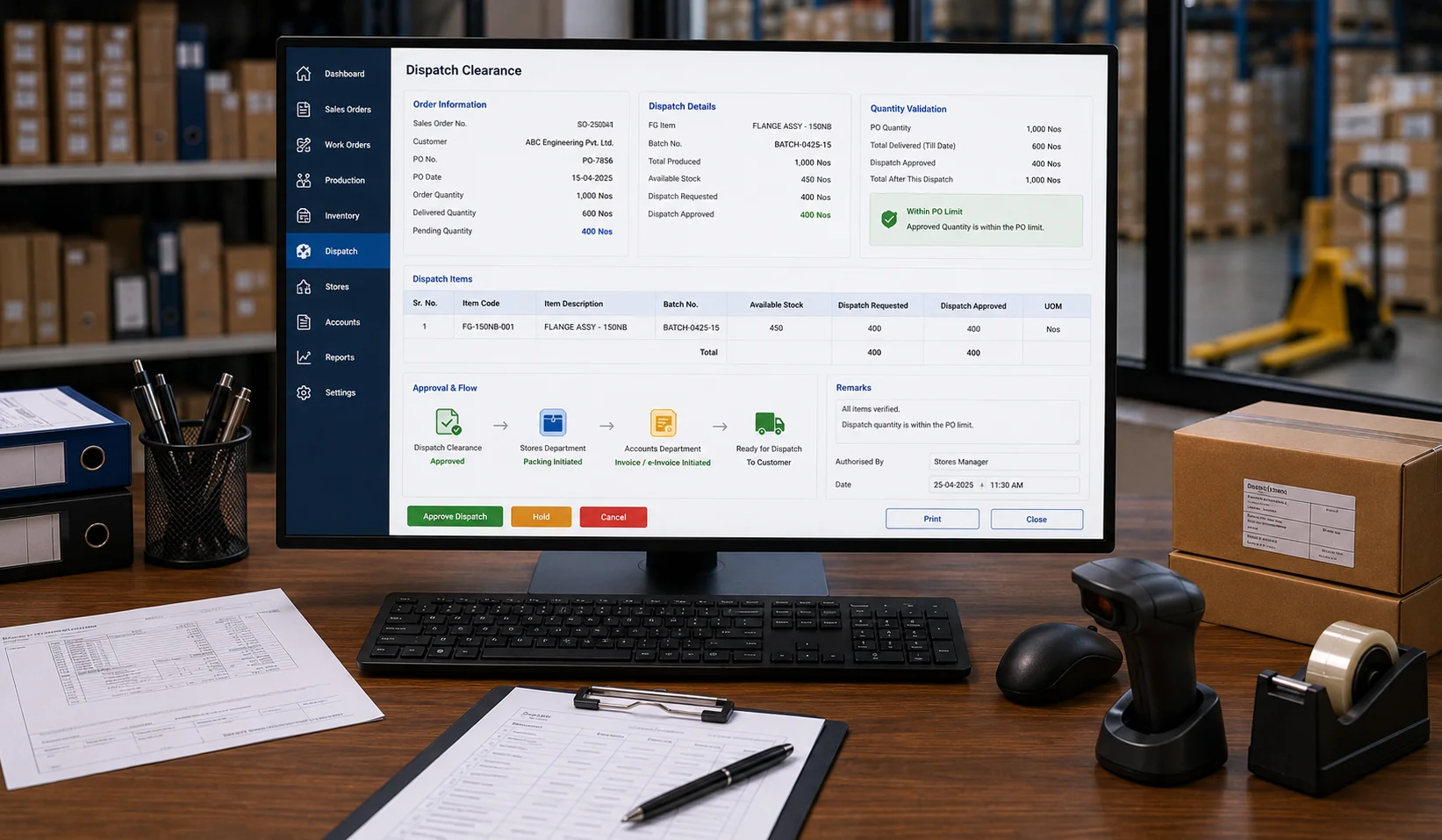
Once manufacturing is finalized, provide clearance to release finished goods (FG) from the warehouse for customer dispatch. Granting shipment approval for finished goods (FG) upon production completion to ensure timely delivery to the customer. In this stage, the final dispatch quantity is determined, ensuring it does not exceed the original customer Purchase Order (PO) limits. Once dispatch clearance is approved, the system automatically routes the request to the Stores department for packing and notifies the Accounts department to initiate invoice and e-invoice generation.

    Enter your contact details